A cooling pad can take a real bite out of a gaming laptop's temperatures. It can also do almost nothing. Which one you get depends less on the pad than on where your laptop breathes in. Before the list of current pads, here's what the published measurements say, so you can tell whether one is worth buying at all.
Do laptop cooling pads work? What the tests measured
Two publications have put numbers on it.
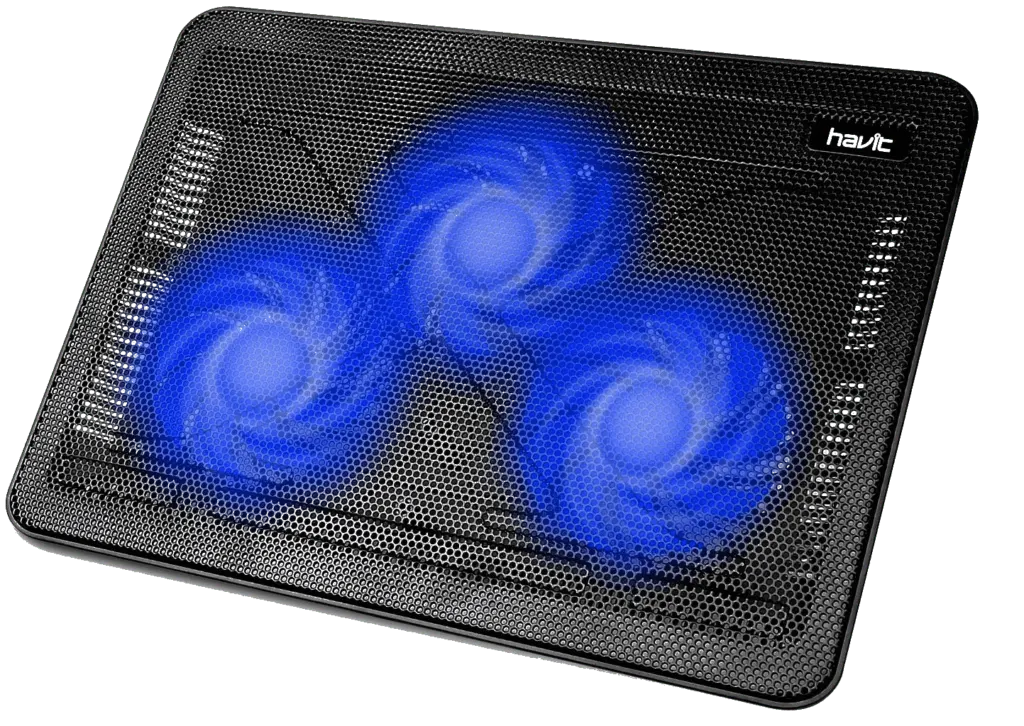
Notebookcheck ran The Witcher 3 on an MSI GP65 (Core i7-10750H, RTX 2070 Max-P) for over an hour, then put it on an ordinary Havit fan pad for 30 minutes more:
| Without pad | With pad | Change | |
|---|---|---|---|
| CPU, average | 92 °C | 80 °C | −12 °C |
| GPU | 76 °C | 70 °C | −6 °C |
| Hottest surface spot | 44 °C | 40 °C | −4 °C |
| Noise | 53.9 dB(A) | 59.2 dB(A) | +5.3 dB(A) |
That's a large drop. Notebookcheck is clear about why: they chose that MSI for its unusually large vents on the bottom. They expect laptops with small bottom intakes, such as ASUS's Zephyrus G14 and G15, to gain less.
Laptop Mag tried 12 best-selling pads on three laptops, one of them an MSI GS63VR gaming machine, with every pad's fans at full speed. The average drop inside the laptops was about 7 °C (13 °F), and the best case was about 17 °C (30 °F). Some pads moved temperatures by just 1 or 2 degrees.
Cooler didn't always mean faster in that test. CPU benchmark scores rose by less than 2%. Rise of the Tomb Raider never gained a single frame per second. Dirt 3 gained up to 20 fps, but only on machines that already ran it well. The pads also added noise: 48 to 55 dB against a room that measured 40 to 43 dB.
So who should buy one
Put the two tests together and the pattern is plain. A pad helps when it can push air straight into intake vents on the bottom of the laptop. It helps less, or not at all, when the laptop draws most of its air from the sides or through the keyboard. You also pay in noise, every time.
Turn your laptop over before you spend anything. A wide grille across the bottom panel is a good sign. A narrow slot or two near the hinge means you should keep your expectations low, and maybe start with the free fixes in our guide to keeping a laptop cool while gaming.
Open fan pads vs sealed blowers
There are two designs on sale now.
- Open fan pads have one to four fans under a mesh deck. The pad in Notebookcheck's test was this type. They're cheap and light, and a big, slow fan can be quiet.
- Sealed blowers (KLIM Everest, IETS GT600, Llano V10 and V12) use one high-speed turbofan and a foam gasket that seals against the laptop's underside, so the air has nowhere to go but into the vents.
The blower makers publish big temperature claims. We couldn't find a single independent, controlled test comparing the two designs, so we won't repeat those claims as fact. What the specs do show is that blowers spin far faster, and KLIM itself warns that its Everest is noisy at high speed.
Current cooling pads compared
| Pad | Type | Fans | Laptop size | Extras | Price |
|---|---|---|---|---|---|
| KLIM Wind | Open | 4, up to 1200 RPM | 11–16 in | 2 USB ports | $29.97 |
| Cooler Master NotePal U2 Plus V2 | Open | 2 × 80 mm, movable, 2000 RPM | up to 17 in | 21 dBA, 31 CFM rated | $39.99 (listed unavailable) |
| Thermaltake Massive 20 RGB | Open | 1 × 200 mm, 600–800 RPM | 10–19 in | 30 dBA rated, tilt 3°/9°/13° | $59.99 (sold out at maker) |
| KLIM Ultimate RGB | Open | 1 × 200 mm, 750 RPM | up to 17–19 in | 4 tilt positions | $69.97 |
| KLIM Everest | Sealed blower | 2 turbo fans, 4300 RPM | 14–17.3 in | Detachable foam seal, USB port | $59.97 |
| IETS GT600 | Sealed blower | 5.5 in turbofan, up to 2800 RPM | 14–19.3 in | 7 heights, 3 × USB 2.0, 1.3 kg | $95.99 |
| Llano V10 RGB | Sealed blower | 4.72 in fan, up to 3500 RPM | 13–17.3 in | 3 heights, foam inserts | €129.99 |
| Llano V12 RGB | Sealed blower | 14 cm turbofan | not listed | Adjustable height, 1-in/3-out USB hub, 2.0 kg | €139.99 |
Which one to get
Pick by what your laptop needs and how much noise you'll put up with.
Cheapest worth trying: KLIM Wind
Four fans, two spare USB ports, under $30. If your laptop has a big bottom grille, this is the low-risk way to find out how much a pad does for your machine, and it fits laptops up to 16 inches (bigger ones overhang).
Fans you can aim: Cooler Master NotePal U2 Plus V2
Its two 80 mm fans slide around the deck, so you can park them right under your laptop's intakes. Given that the vent position decides most of the result, that's a genuinely useful feature. Cooler Master lists it at $39.99 but marked it unavailable when we checked, so look at retailers.
Quietest on paper: Thermaltake Massive 20 RGB
One 200 mm fan turning at 600 to 800 RPM, rated at 30 dBA, with three tilt angles and support for laptops from 10 to 19 inches. A big fan moving slowly is the usual way to keep noise down. It was sold out at Thermaltake's store on our check date.
Sealed blower: IETS GT600 or KLIM Everest
If you've decided you want the sealed design, the GT600 is the bigger, more adjustable one: seven height levels, three USB ports and room for laptops up to 19.3 inches. Note that IETS sells the 12 V power adapter separately. The Everest costs about $36 less and covers 14 to 17.3 inches. With either, expect a lot more noise than an open pad.
Before you buy any pad
- Clean the intake grilles and fans. Dust blocks the same vents a pad is trying to feed.
- Game on a hard surface. A bed or a sofa cushion covers bottom intakes completely; if that's where you play, a laptop stand for bed solves the airflow problem along with the posture one.
- Check the laptop's own fan profile in its control software. Many gaming laptops ship a quiet mode that holds the fans back.
- Match the pad's size range to your laptop. A pad that's too small leaves the rear intakes hanging off the edge.
Shopping for the laptop itself? Our guides to gaming laptops under $800 and under $1000 are the place to start.
How we compiled this guide
We didn't test these pads ourselves. The temperature and noise results come from the Notebookcheck and Laptop Mag tests linked above; the specs and prices come from each maker's store, checked on 25 October 2026.